Newton — Your Built-In AI Companion
Ask. Get Answers. Move Work Forward.
Newton is your AI agent inside Taino, built for insurance agencies. It helps you get guided help across the platform, ask questions about your data and see results as tables and charts, and polish what you write with a single click.
Here are a few ways teams use Newton:
- Support Agent (chat): Ask where something is, how it works, or what to do next — and get guided help.
- Data Agent (chat): Ask business questions in plain English and get answers as text, tables, and charts.
- Magic button: Improve emails, SMS, and tasks so messages stay clear and consistent.
- Save results: Keep a useful chart/table as a reusable custom report/query.
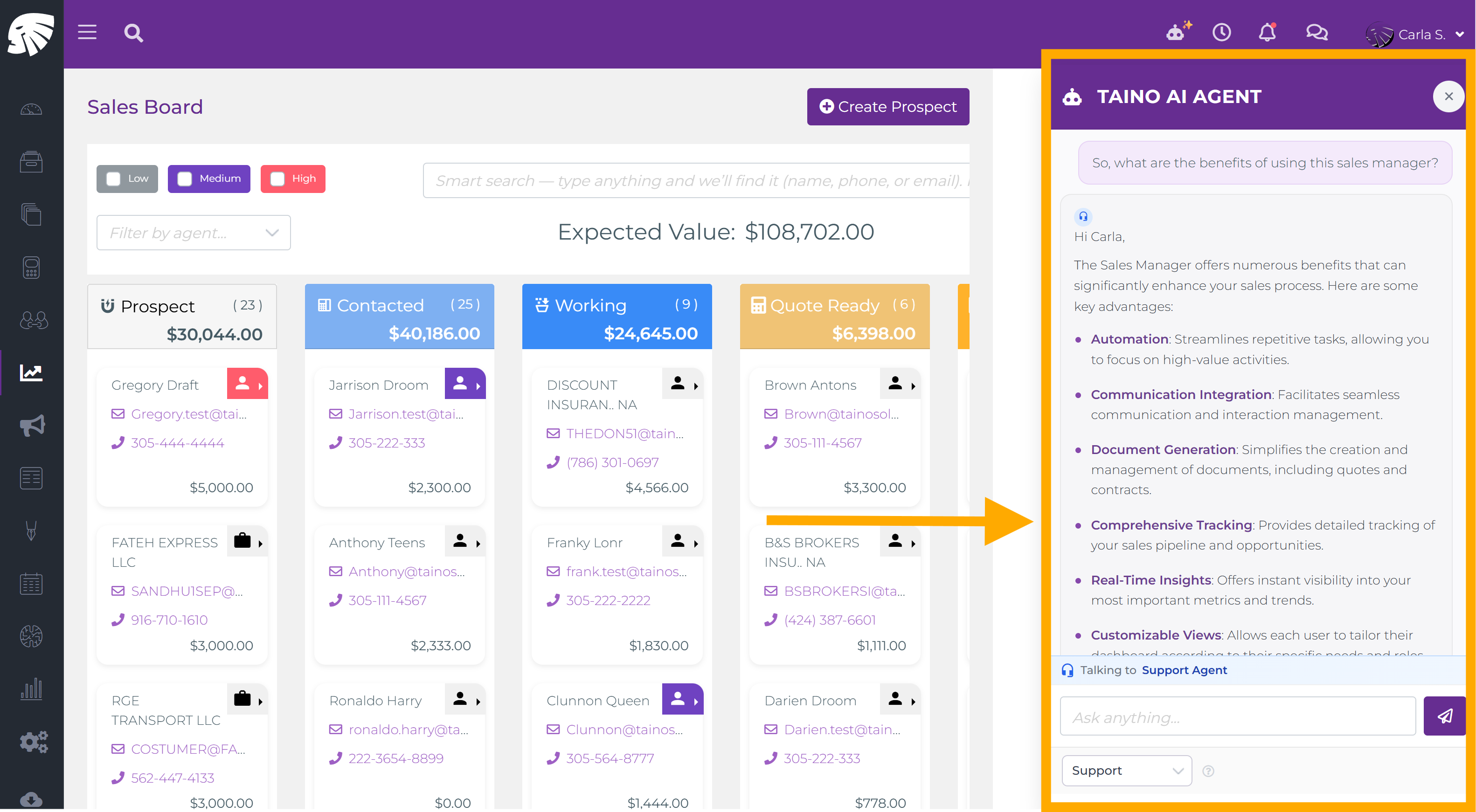
Your Support Agent (Inside the App)
Legacy systems expect you to already know everything. Newton flips that script: wherever you are inside Taino, you can ask for help in the moment.
Examples of questions agents ask:
- How-to help: “How do I set up an automated pipeline from scratch?”
- Find anything fast: “Where do I update a customer’s preferred contact method?”
- Best practices: “What’s a solid follow-up sequence after sending a quote?”
Ask Your Data (Reports and Charts in the Chat)
Switch Newton to Data Agent mode and ask questions about customers, policies, carriers, agents, production, renewals, and more. Newton responds right inside the chat with results you can explore.
What kind of questions? Things like these:
- “Which carriers are making me the most money this year?”
- “Show me all policies expiring in the next 30 days.”
- “Compare my new business vs renewal revenue by month for 2025.”
- “Show my top 10 customers by total premium.”
- “List all customers with only one policy — my cross-sell opportunities.”
- “Which agents closed the most new business last quarter?”
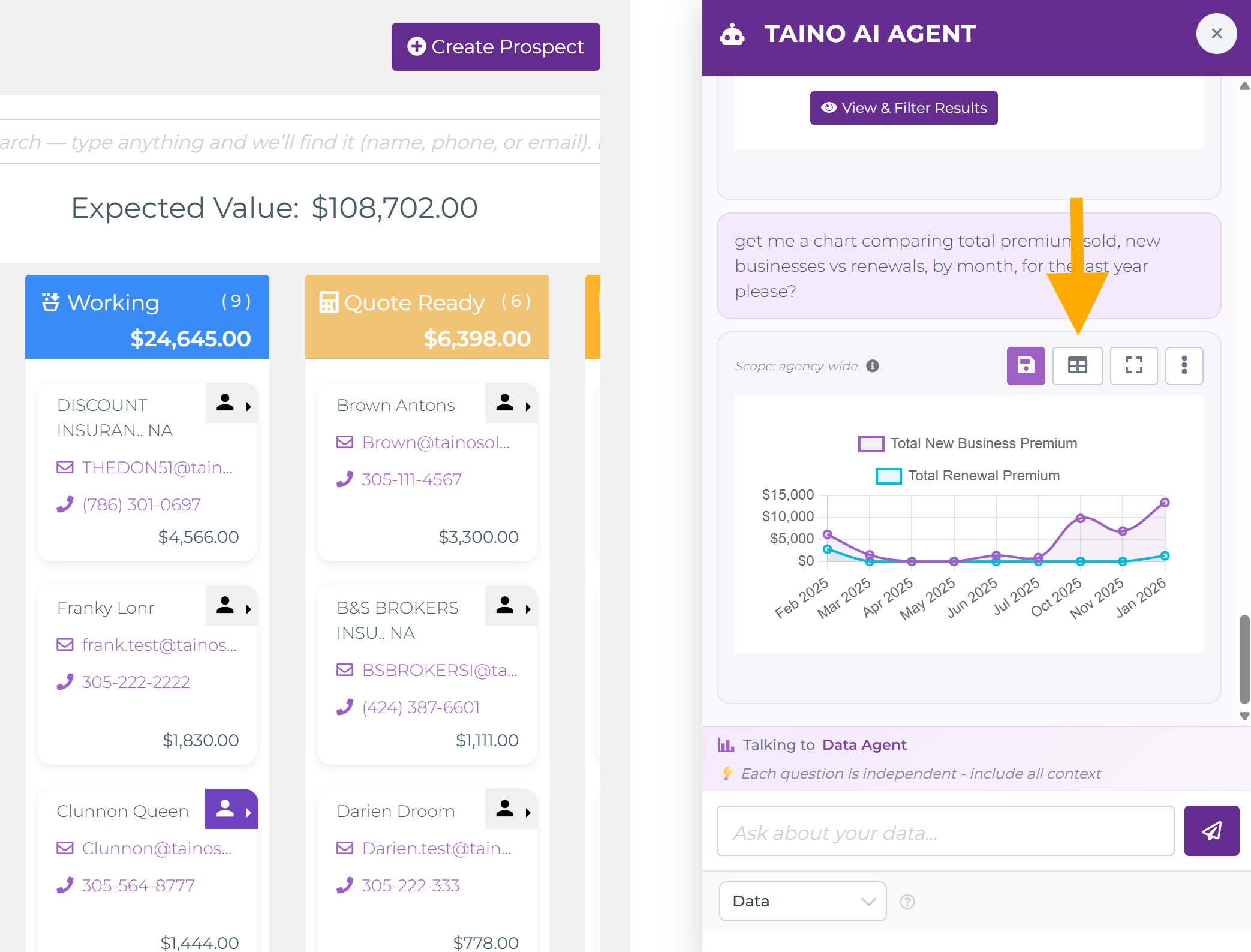
When Newton responds with a table or chart, you can:
- Maximize for a full-screen view
- Switch views (table ↔ chart) to see the same data in different ways
- Apply filters like date ranges and common dimensions
- Save the result as a custom report/query and organize it by category
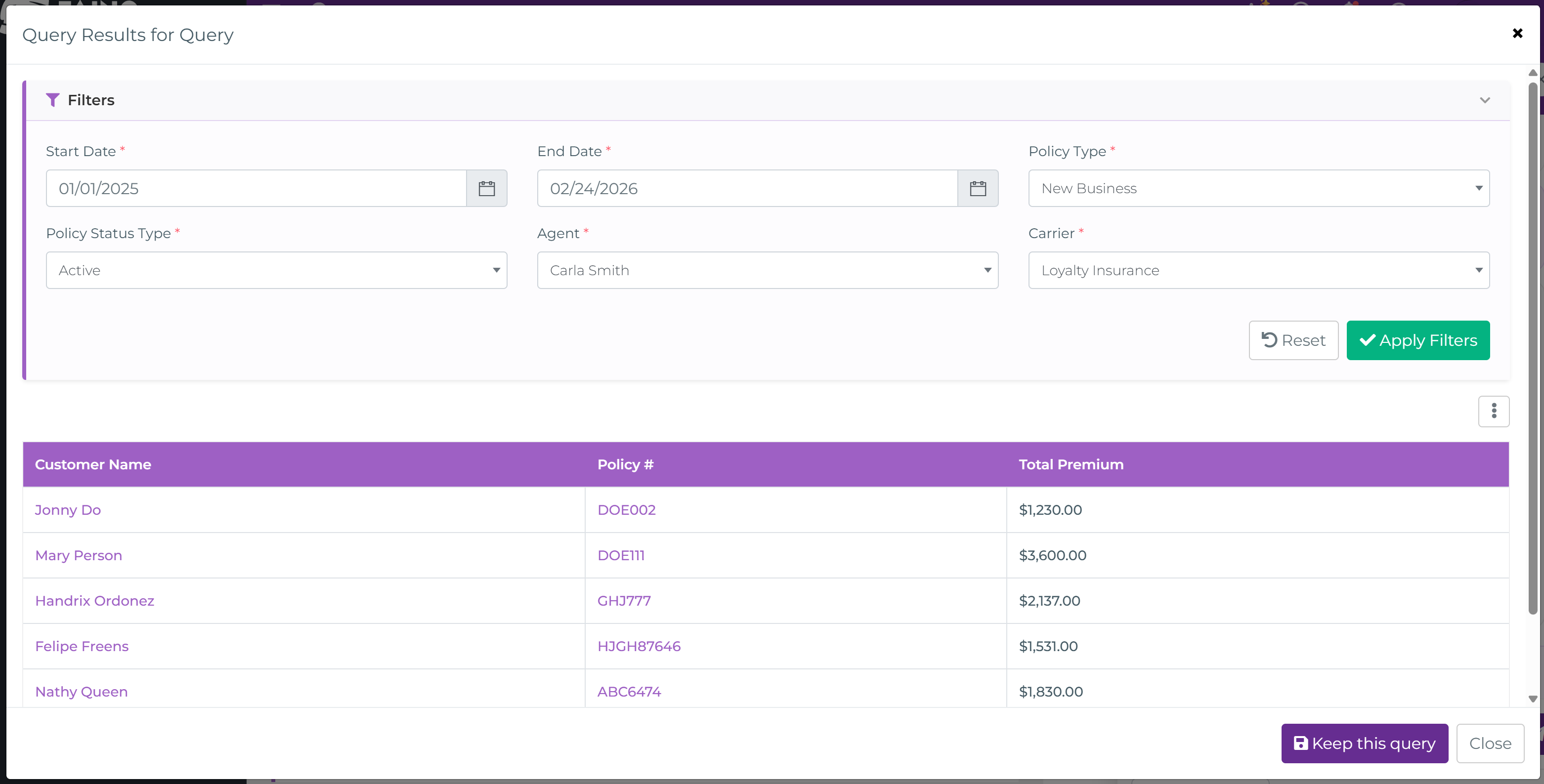
Keep Results (Turn a Chat Answer Into a Custom Report)
When Newton gives you a chart or table you want to reuse, you can save it into your report library and organize it by category. That way, a quick question in chat becomes a report you can pull up again.
The Magic Button (Better Emails, SMS, and Tasks)
Newton doesn’t only live in the chat panel. Across Taino, you’ll see Newton’s magic button right where you’re writing. With one click it improves grammar and tone, restructures drafts, and helps keep team communication consistent.
- Emails: Clean up grammar, improve tone, and structure messages so they read professionally.
- SMS: Fix typos and tighten wording so texts stay clear and ready to send.
- Tasks: Turn rough notes into clear, structured action items your whole team can understand.
More Inside Newton
Newton also supports quick creation of tasks and prospects, plus prompt-driven designs for web forms and automated pipelines.
Built for Insurance. Built for Privacy.
Newton isn’t a generic public chatbot. It’s built for insurance agencies and works inside your Taino environment, so your agency data and conversations stay within your secure space.
Get Started
Log in to Taino and look for the Newton icon or the magic button where you work. Ask your question, refine the result, and keep what you want to reuse.